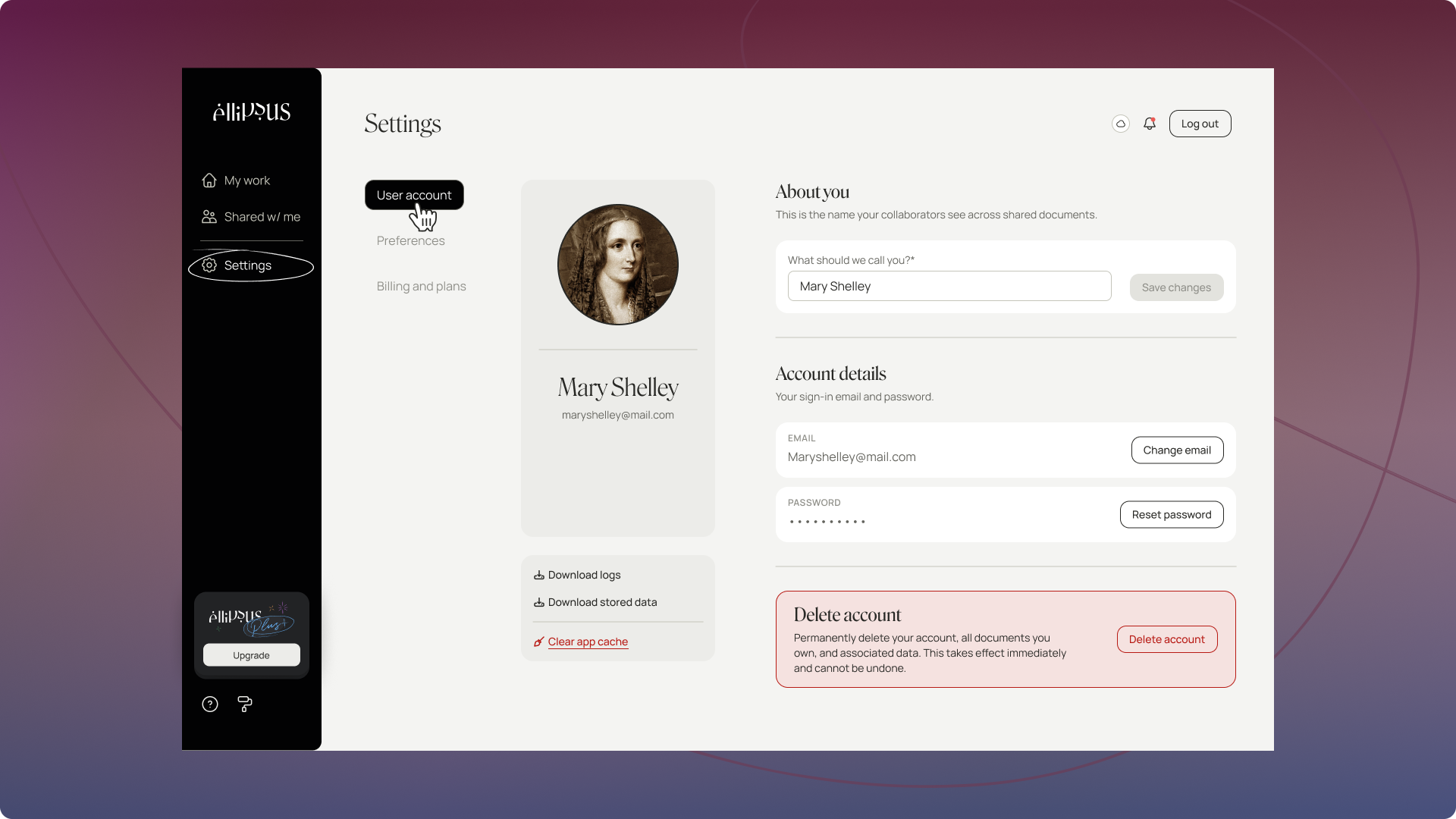
From the User account page, you can set and change your display name, account email, and password.
TABLE OF CONTENTS
Display name
Your display name is what’s visible to your collaborators in Ellipsus. It can be anything you want: your first name, your pen name, your Discord handle…
Your display name will appear:
on document and draft cards
in comments
in chat messages (when others @-mention you)
in notifications
in the Collaborators menu
on Reader links and comment sections
Email address
Your email address is what's used to log into your Ellipsus account, to receive important account communications and Ellipsus updates, and for support.
Your email address will appear:
- in your Settings page
- in the Collaborators menu for works on which you are a collaborator
Note: If you are using a privacy-focused provider (e.g. ProtonMail, Posteo) or a custom domain, you must manually add Ellipsus.com to your allow list or you will be unable to receive one-time codes and other critical account emails.
You can change your email by selecting Change email and following the instructions. This process does require access to the email address on your account, as a confirmation email will be sent as part of the process for security purposes.
If you do not have access to the email address on your account, please reach out to Support via the in-Ellipsus widget if possible, or by submitting an account support ticket if you also are unable to access your Ellipsus account.
Password
Your password can be used to access your Ellipsus account from any device/browser. It is not visible to anyone, including the Ellipsus team, nor can we change it for you.
Profile picture
Your profile picture appears with your name in comments, chat, and the collaborator menu. Other users will only see your display name and avatar—your email address stays private unless you're the document owner.
To set or update your profile picture:
Go to your Account Settings
Choose from:
A color avatar with the first letter of your display name
Your own image uploaded from your device
Deleting your Ellipsus account
You can delete your Ellipsus account at any time. To do so, click "Delete account" and follow the confirmation process.
Deleting your account also deletes all works you may have, as well as all other account/personal information as required by GDPR. For more information, please see our https://ellipsus.com/terms-of-serviceTerms of Service and Privacy Policy.
Account deletion is irreversible and deleted accounts cannot be recovered under any circumstances—that's why there are so many confirmation steps!
Was this article helpful?
That’s Great!
Thank you for your feedback
Sorry! We couldn't be helpful
Thank you for your feedback
Feedback sent
We appreciate your effort and will try to fix the article