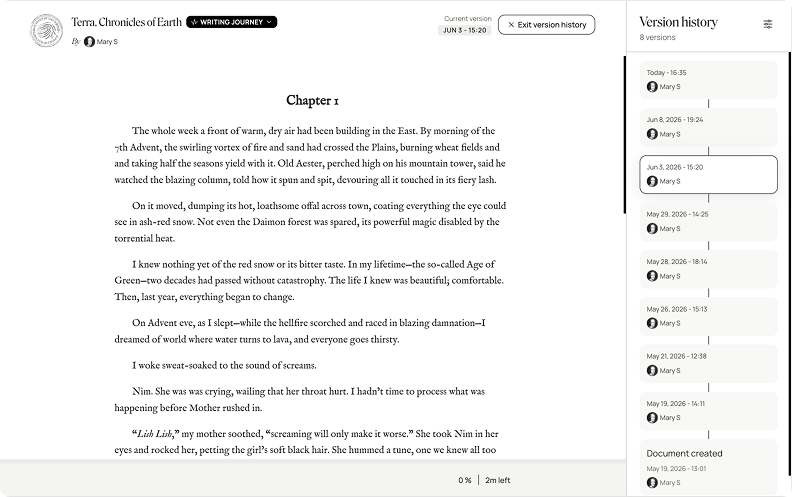
For added proof-of-work alongside your Writing Journey, you can share selected version history snapshots alongside your work in the Reader, giving editors, teachers, publishers, or readers an in-depth record of the work’s development.
You can toggle on Public version history from the Emboss section of the Reader link panel.
Open Share and export
Select Reader link.
Under Emboss your work, toggle on Version history.
This will display selectable snapshots of your work’s version history in the right side of the Reader view.
From there, you can choose to show versions from 30 minutes, hours, days, months, etc. prior to sharing your work.
If you revert back to the free plan
If you’ve added public version history to any Reader links, the version history viewing panel will no longer appear on those links until your Plus access is restored.
If you re-subscribe or upgrade to the one-time payment, your public version history will reappear on your Reader links.
Was this article helpful?
That’s Great!
Thank you for your feedback
Sorry! We couldn't be helpful
Thank you for your feedback
Feedback sent
We appreciate your effort and will try to fix the article