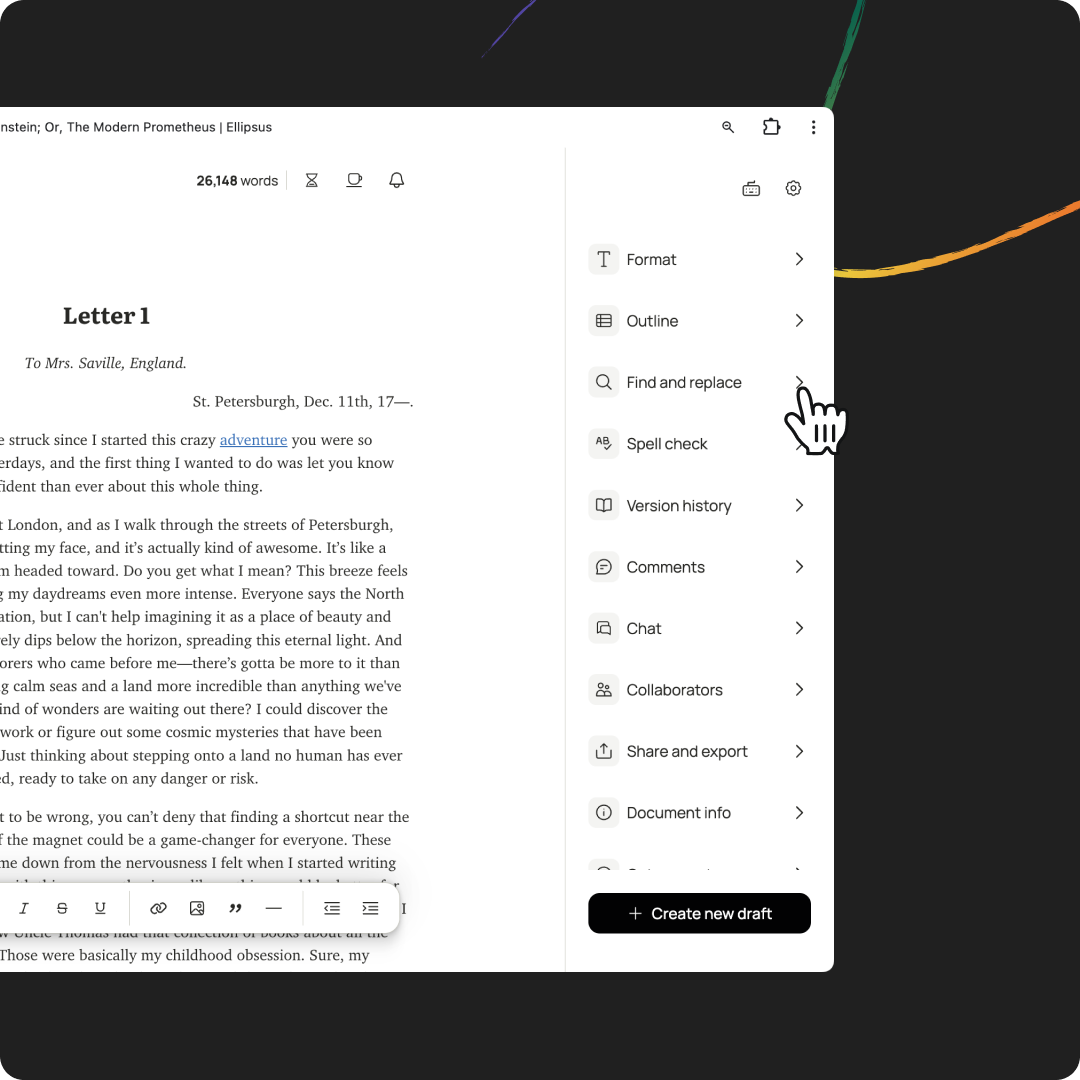
You can find (and replace) words or phrases in individual documents and drafts. To get started, click on Find and replace in the right-hand panel or using your keyboard shortcut.
TABLE OF CONTENTS
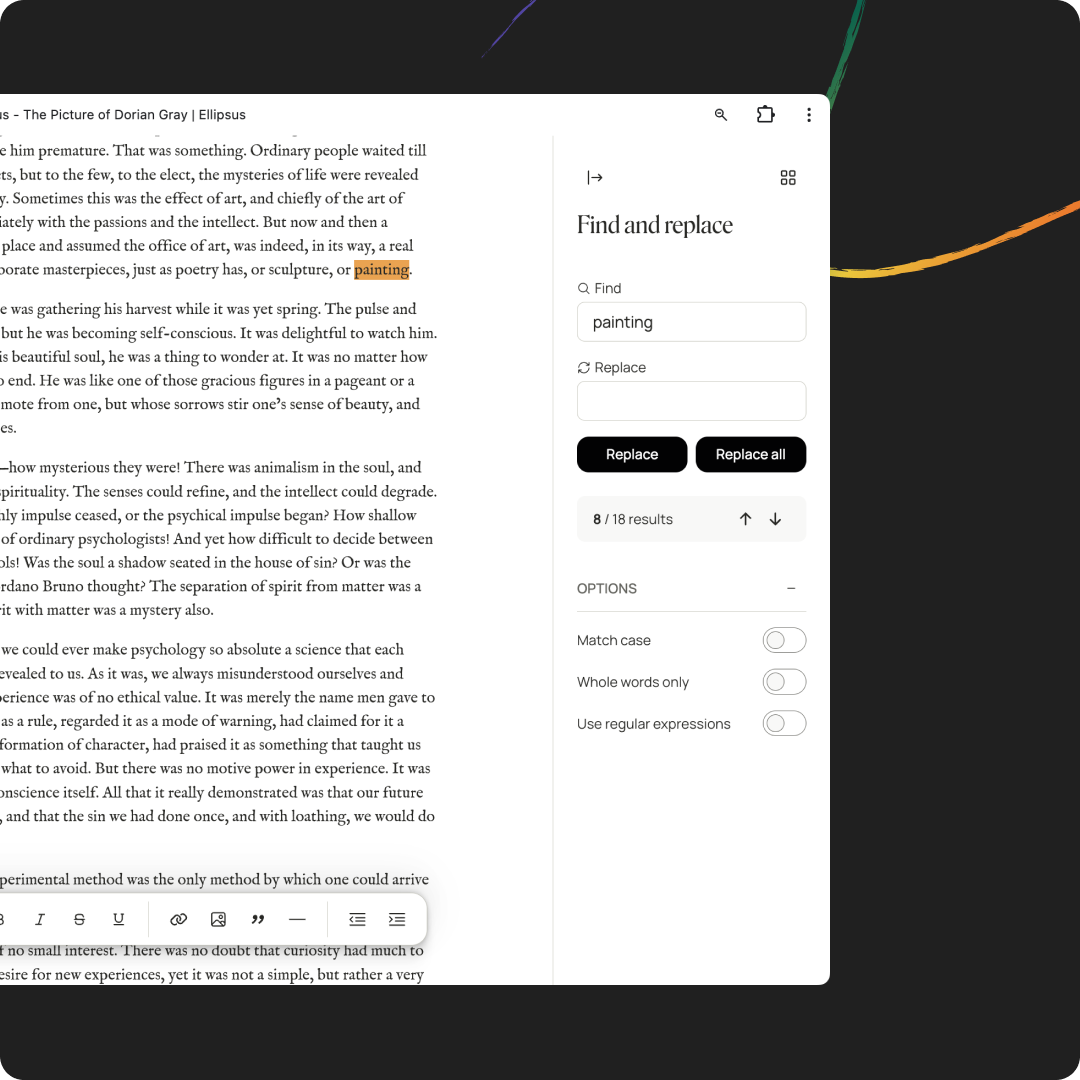
Enter the word(s) you want to find—Ellipsus will highlight matching text as you type. If you want to be extra specific, you can check Match case to find words with the same capitalization or Whole words only to match the exact word.
If your search yields results, you can use the arrow keys to navigate to each occurrence. You can also type ⌘ / Ctrl + G or ⌘ / Ctrl + Shift + G to go the next or previous result.
Replace text
You can replace an individual occurrence of a word or replace every occurrence in your document or draft.
Want to compare or restore changes? Learn more about merging drafts and working with version history.
Advanced: Work with regular expressions
With regular expressions (or regex), you can perform more advanced searches.
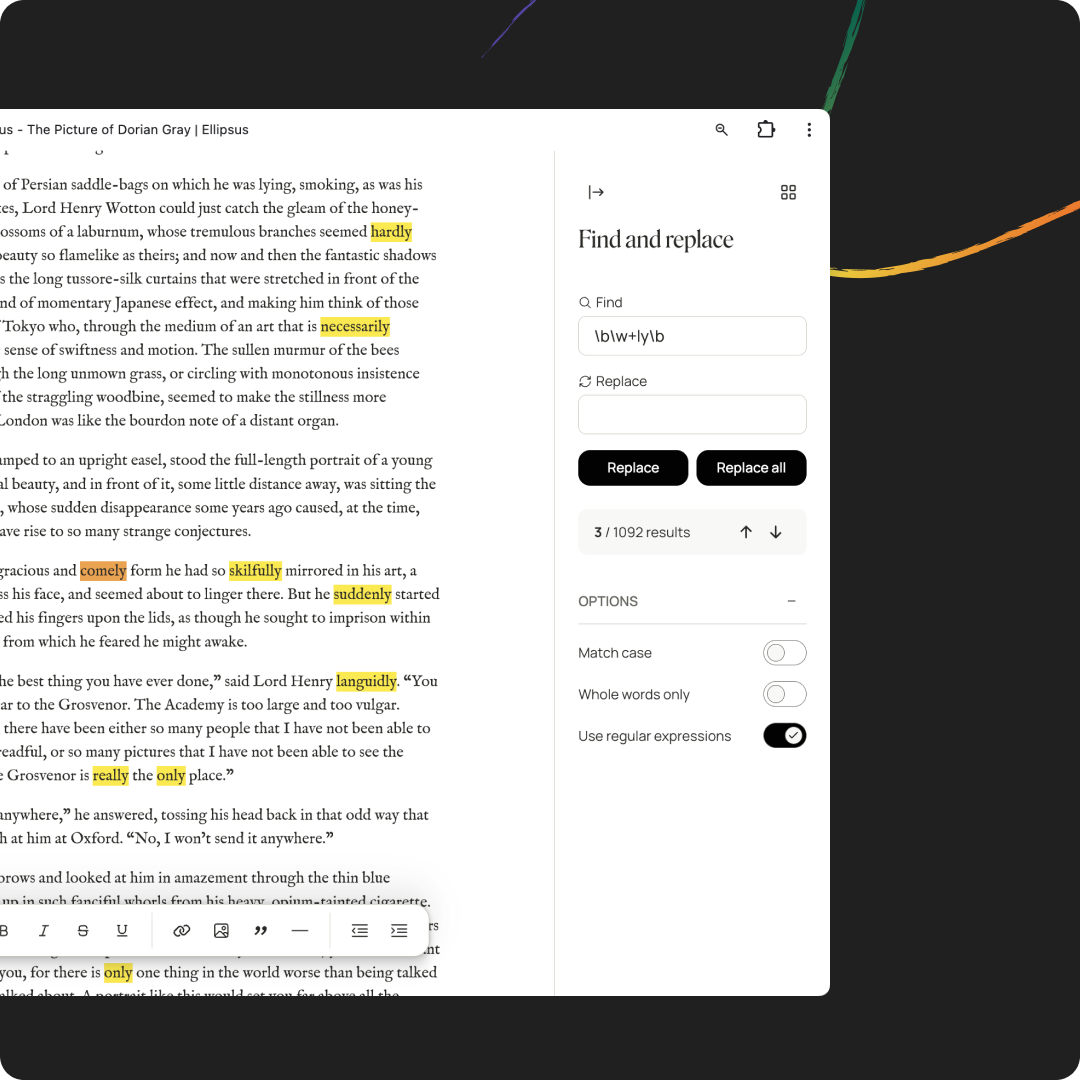
Regular expressions offer a lot of potential when editing your work. If you'd like to learn more about working with regex, head to https://regex101.com/.
Here are a few examples you might find particularly useful.
Replace all quotes with smart quotes / curly quotes
This would turn "hello" into “hello”.
Replace opening quote with smart quote:
Find:
(\s|^)"(.)Replace:
$1“$2
Replace closing quote with smart quote
Find:
"(\s|$|\p{P})Replace:
”$1
If a starting / ending quote is nested between words without whitespace—like he said"hello"and waved—the above regex won't work.
Replace all apostrophes with smart apostrophes / curly apostrophes
This would turn 'hello' into ‘hello’ or can't into can‘t or Chris' into Chris’.
Replace opening single quote with smart apostrophe
Find:
(\s|^)'(.)Replace:
$1‘$2
Replace closing single quote with smart apostrophe
Find:
'(\s|$|\p{P})Replace:
’$1
Replace apostrophe in a word with smart apostrophe
Find:
(\w)'(\w)Replace:
$1’$2
Highlight words and text you might want to edit
You can also use regex to find patterns in your text.
Find all adverbs in your doc:
\b\w+ly\bFind all instances of passive voice:
\b(be|is|are|was|were|been|being)\b\s+\w+ed\bFind all dialogue:
(["“][^"”]*["”])Find all gerunds:
\b[A-Za-z]*ing\b
Was this article helpful?
That’s Great!
Thank you for your feedback
Sorry! We couldn't be helpful
Thank you for your feedback
Feedback sent
We appreciate your effort and will try to fix the article