Chat enables you and your collaborators to discuss your writing in context. Instead of switching apps, you can collect feedback, share your input, and jot down notes and ideas directly in Ellipsus.
Only the document owner and invited collaborators with the Can Merge or Can Edit roles can participate in chats.
Collaborator chat is tied to documents, so access depends on the account type of the document’s owner.
How to use chat
Open any document or draft that has at least one collaborator with Can Merge or Can Edit permissions and click Chat in the right-hand sidebar to open a chat window.
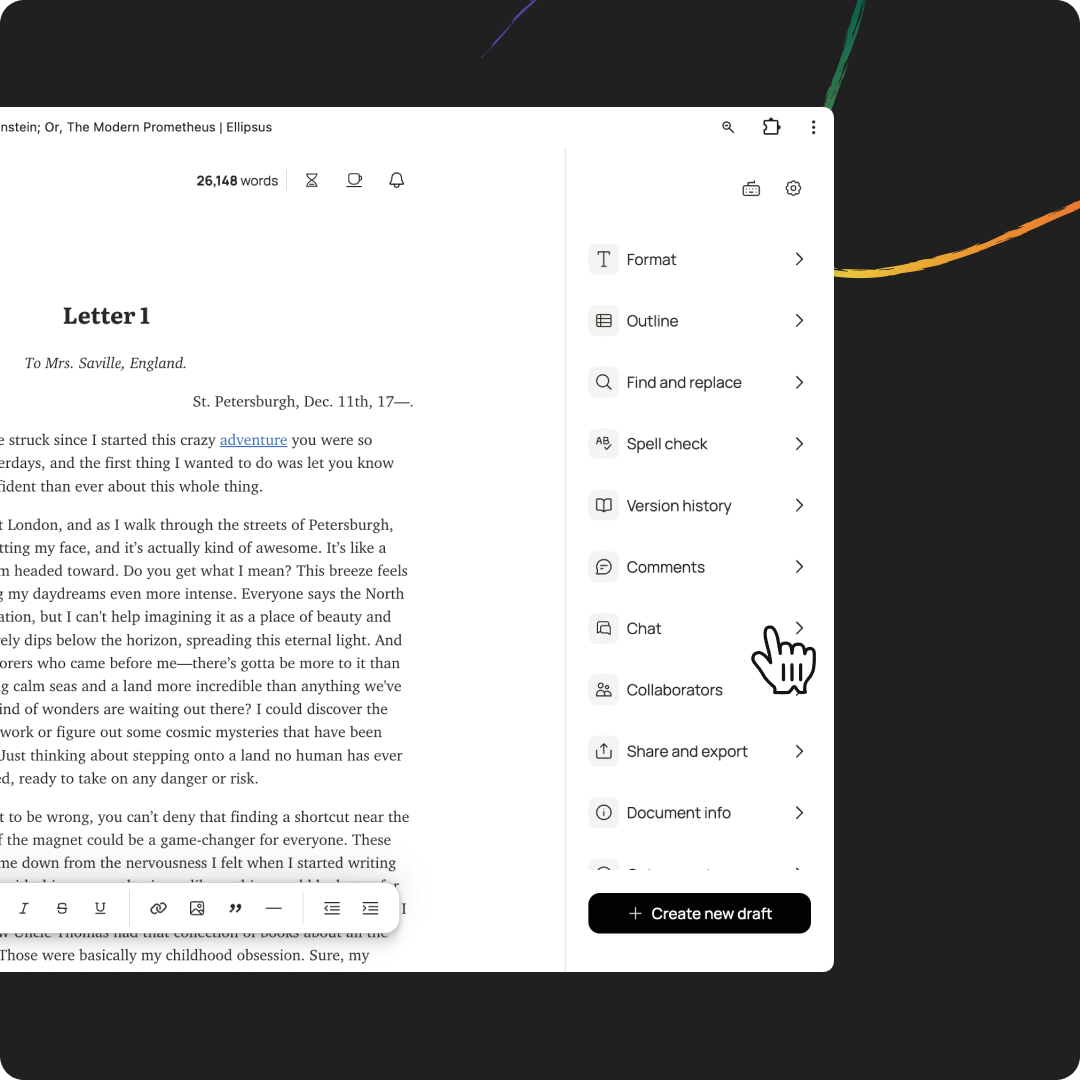
Each draft in a document hosts a separate chat, making it easy to keep feedback organized.
At the top of the chat window, you’ll see the avatars of eligible participants and the current document or draft name.
Interact with messages
Chat participants can post messages, edit or delete their previous messages, and upload images or files. They can use emojis to react to others’ messages, pin messages to the top of the chat window, or reply to messages to create threads. Threaded replies pop out as their chat window, so that you can view and discuss multiple topics alongside your writing.
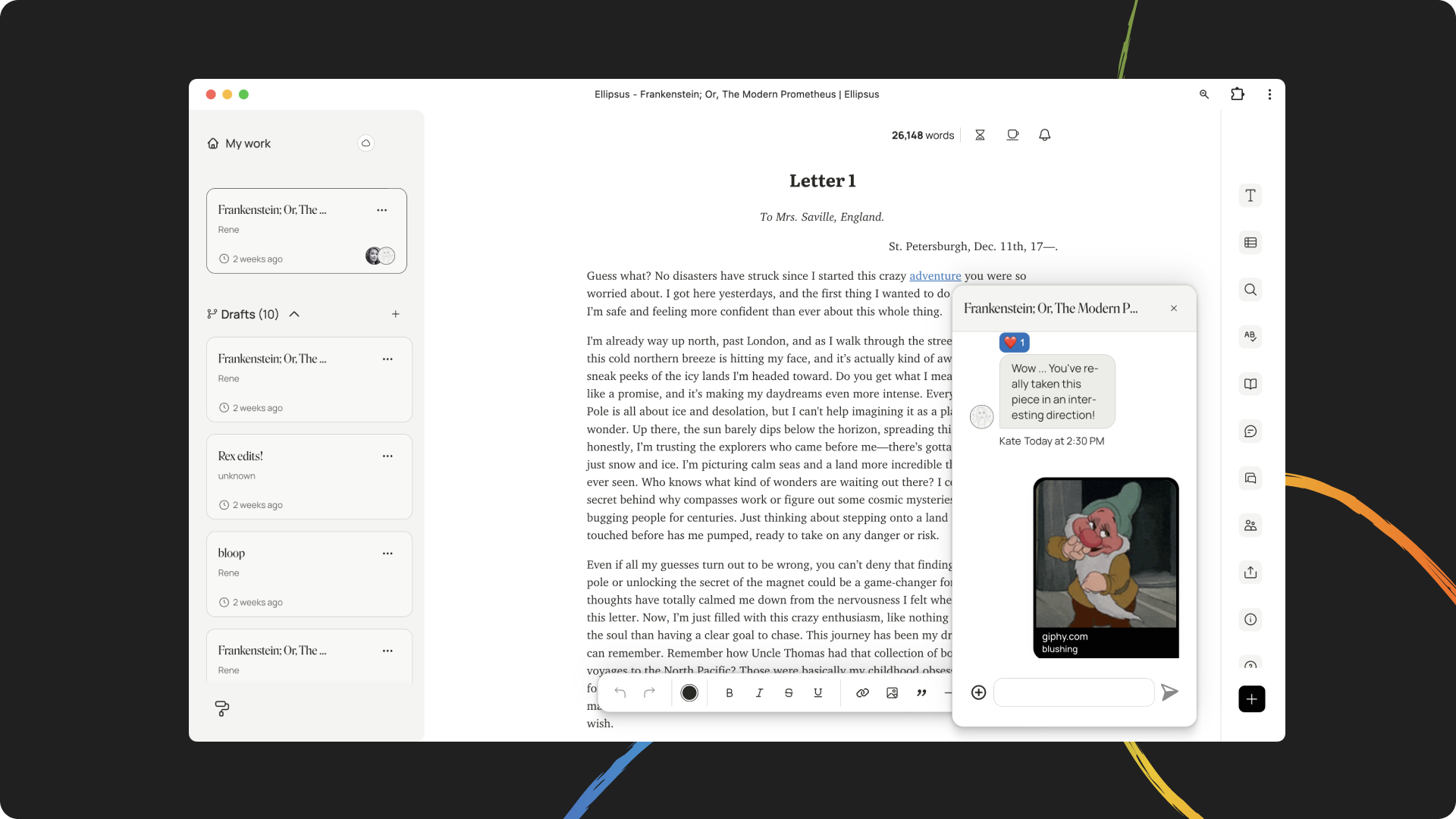
Each message is time-stamped. If another collaborator has seen your message, you’ll see their avatar below your message.
What happens to chat if I cancel Plus?
If you revert back to the free plan:
You'll lose the ability to start new chats in your documents.
Chat access in your documents is tied to your plan. If you return to the free plan, your collaborators will no longer be able to use chat in those documents either. (We’ll let them know in-app).
Existing chat history will remain in your account. You can still open previous chats and copy any text you’d like to save elsewhere, before or after downgrading.
If you return to Ellipsus Plus, chat access will reappear everywhere it was before.
Was this article helpful?
That’s Great!
Thank you for your feedback
Sorry! We couldn't be helpful
Thank you for your feedback
Feedback sent
We appreciate your effort and will try to fix the article